

Rundown
Build tonight’s order and run Ableton Live from a stage-sized setlist. Rundown is the control point for the suite.
See Rundown →Rundown runs the set today. Cross-app recall for Ableton Live, patches, pads, and stage gear is still under integration testing. Treat this page as the intended workflow, not a promise that the whole rig follows yet.
Use one app by itself. Add the rest when your rig needs them.
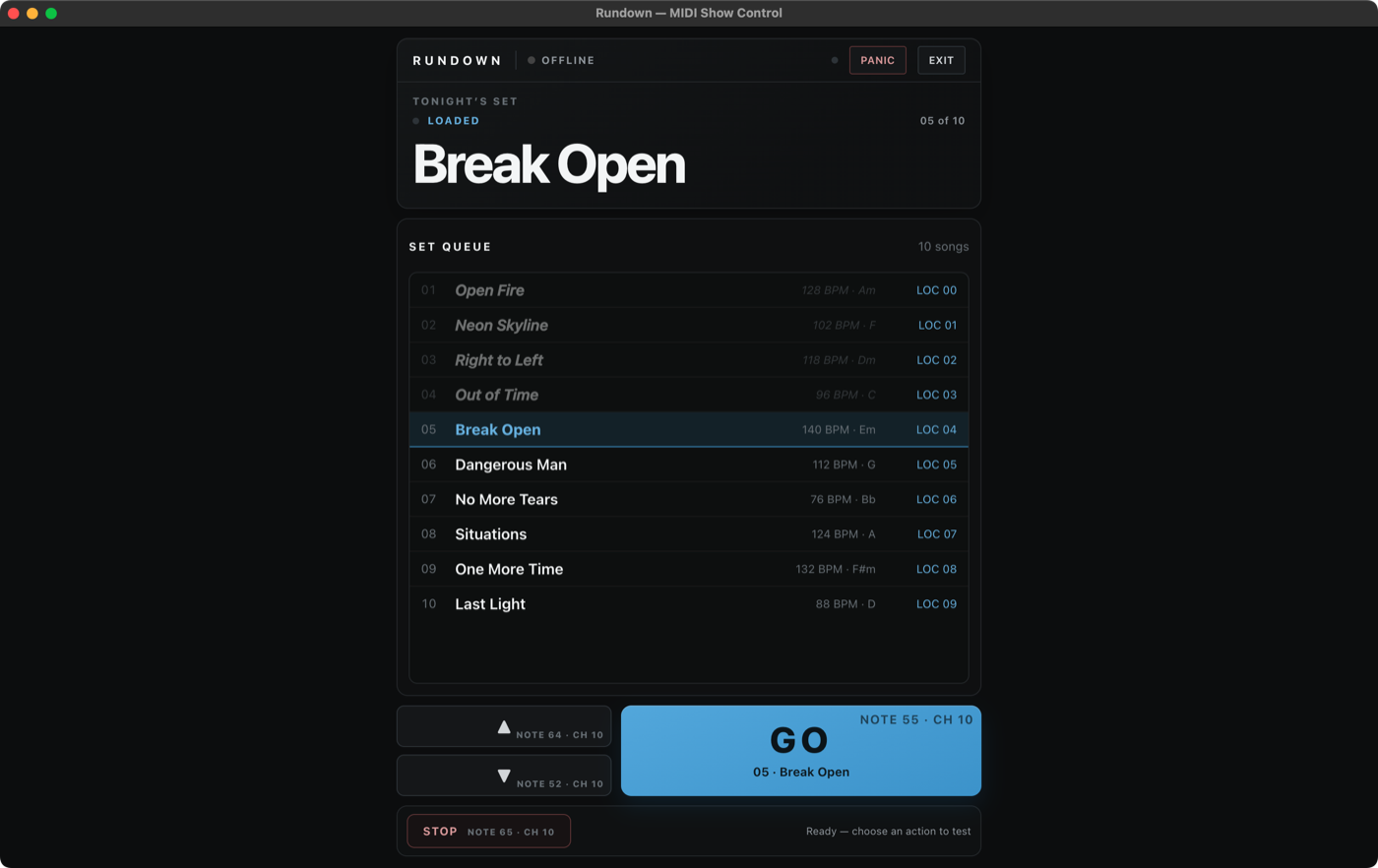
You build tonight’s order once in Rundown. The suite handoff from the setlist to Ableton Live and stage gear is the workflow being tested next.
Rundown reads the songs already marked in Live. Drag them into tonight’s order without rebuilding the session.
Use the big button in Rundown, a MIDI controller, or a footswitch. That is the only move you make on stage.
The target is for Live, patches, kits, and switcher pages to follow. Until acceptance testing passes, operate each app independently.
Each app solves a specific stage problem. Start with the one you need; connect them when you want the whole rig to follow the same show.
Build tonight’s order and run Ableton Live from a stage-sized setlist. Rundown is the control point for the suite.
See Rundown →See where MIDI is going, route it to the right device, and reach network gear without the usual setup maze.
Match each song to the right device presets, then let the setlist make the change on time.
See Backline →Build kits, presets, and switcher pages on a Mac instead of menu-diving on the hardware.
See the editors →It runs the show on its own. Cross-app cueing remains a roadmap capability until the full integration acceptance pass is complete.